The AND function in Excel returns TRUE only when all its conditions are true. If any condition is false, it returns FALSE.
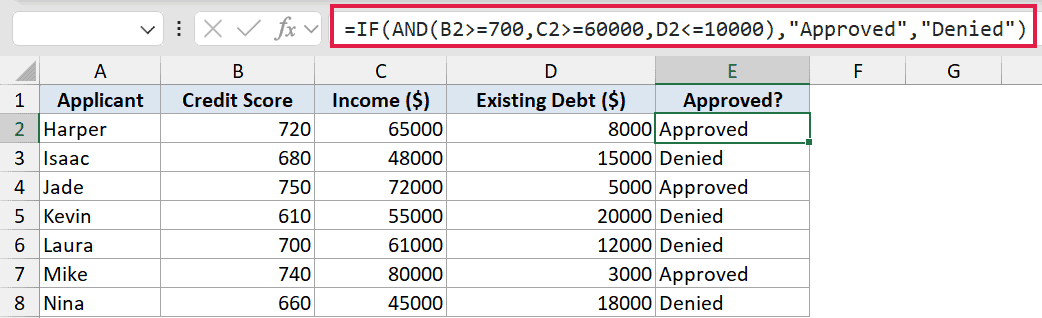
It is useful inside IF when several requirements must be met together. AND combines its inputs into one logical result rather than returning a separate result for each row.
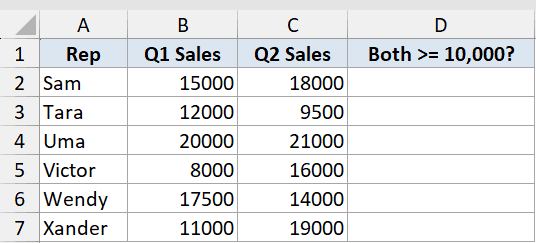
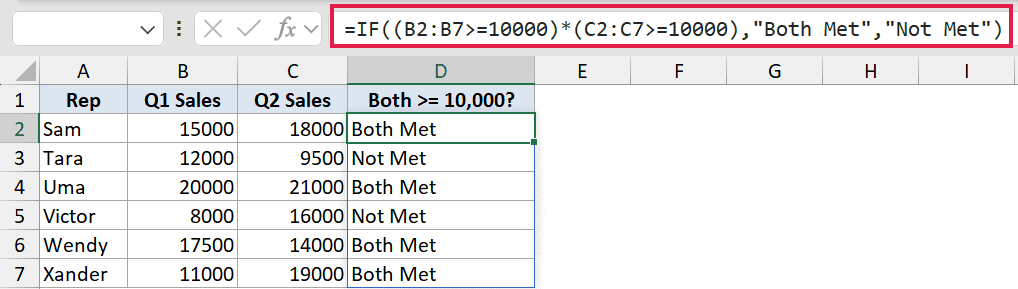
In this article, I’ll show you how to combine eligibility rules, test whether values fall within limits, and handle checks that must run separately for each row.
The AND function tests a list of conditions and returns TRUE only when every single one of them is met.
=AND(logical1, [logical2], ...)
logical1, logical2, ...: the conditions to test. You can pass up to 255. AND returns TRUE only if every argument is TRUE. If any one is FALSE, the whole function returns FALSE.
When to Use AND Function
AND is useful any time you need to confirm that multiple criteria are all met at once. Common scenarios:
Test two or more conditions together and get a single TRUE or FALSE
Nest inside IF to return a label or value only when all criteria pass
Check whether a number falls between two values (the classic “between” pattern)
Drive conditional formatting rules that require multiple conditions to be met
Power a data validation rule that lets a value through only when it clears every check
Example 1: What AND Returns on Its Own
Let’s start with the basics so you can see exactly what AND gives back before pairing it with anything else.
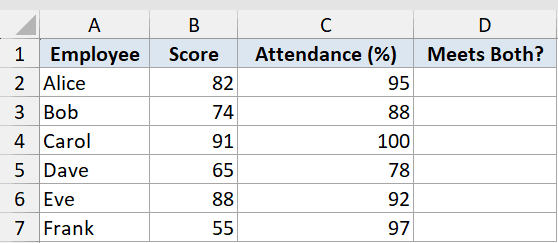
Below is the dataset with employee names in column A, their performance scores in column B, and their attendance percentages in column C. Column D is where the result goes.
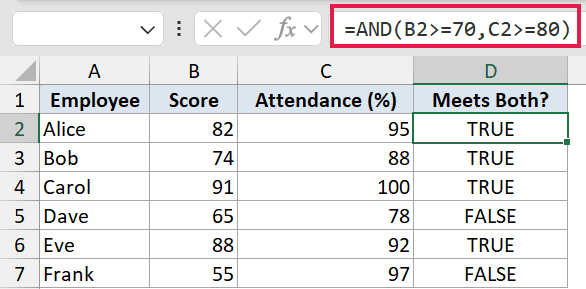
We want to know whether each employee meets both the score threshold (70 or higher) and the attendance threshold (80% or higher). AND will return TRUE if both conditions pass, FALSE if either one fails.
Here is the formula:
=AND(B2>=70,C2>=80)
Steve Scott
Steve Scott has spent years deep in spreadsheets for finance and operations work, and now writes Spreadsheet Planet. He sends one Excel tip a day to people who would rather finish the file than study it.