How to Subtract Dates in Excel
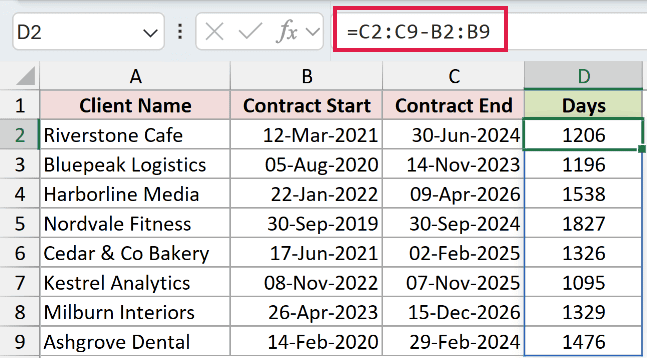
If you want to subtract one date from another in Excel, you might get a date back instead of a number. And this is because Excel copies the date format …

 Steve Scott
If you want to subtract one date from another in Excel, you might get a date back instead of a number. And this is because Excel copies the date format …
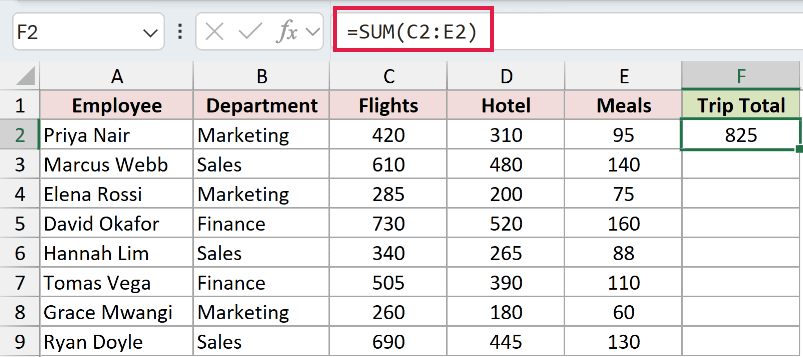
If you want to add up the numbers sitting in a bunch of Excel cells, the tricky part is not the adding. It’s that the best way to do it …
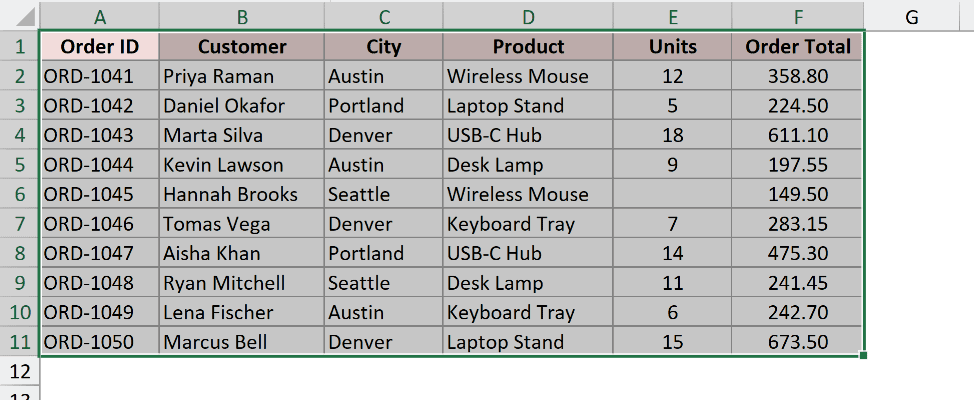
If you want to select a bunch of cells in Excel and do something to all of them at once, dragging the mouse across them is usually the first thing …
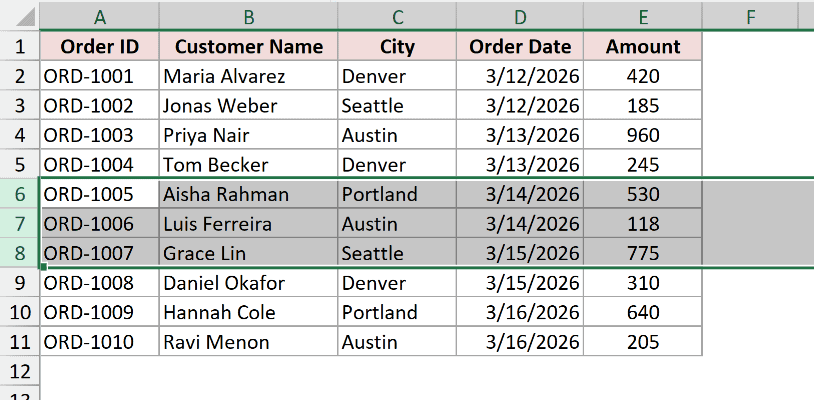
If you need to add ten or twenty blank rows to a sheet, inserting them one at a time is the slow way to do it. And most people get …
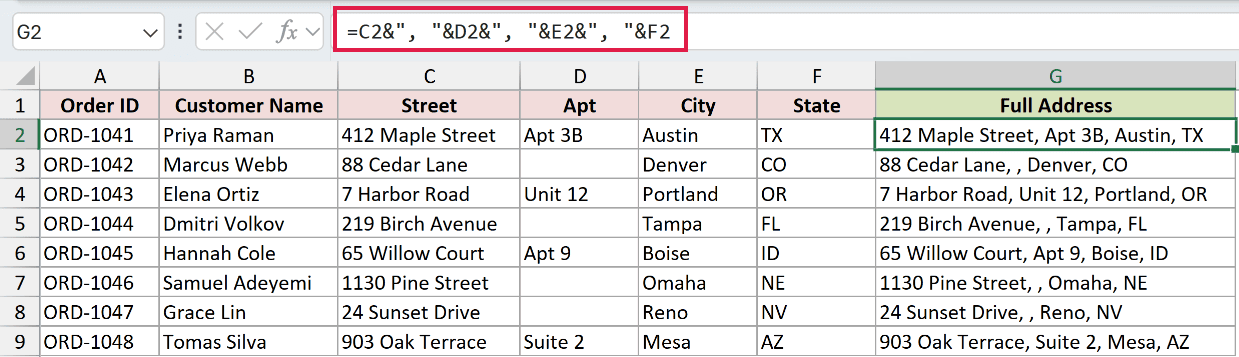
If you want to pull the contents of a few cells into one cell, Excel’s Merge & Center button won’t do it. It squashes them into one big cell and …
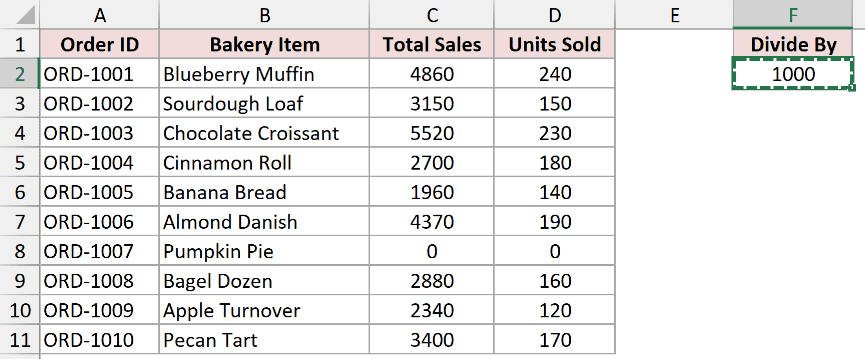
If you want to divide numbers in Excel, you’ll go looking for a DIVIDE function and there isn’t one. And this is because Excel handles division with a plain forward …
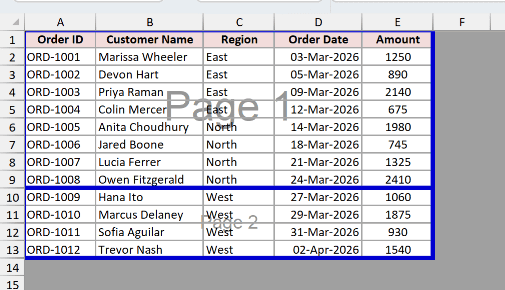
If you want to control exactly where your Excel sheet splits when you print it, you can’t just hit Enter and hope for the best. Excel decides where the pages …
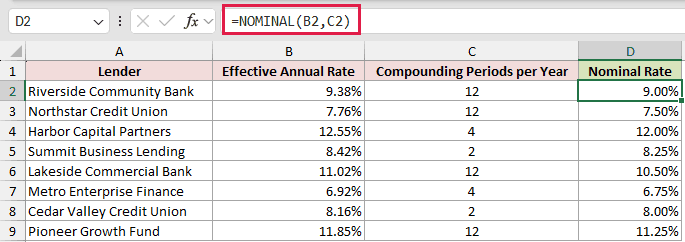
If you know a loan’s true yearly cost but need the stated annual rate behind it, you’re converting an effective rate back to a nominal rate. When interest compounds more …
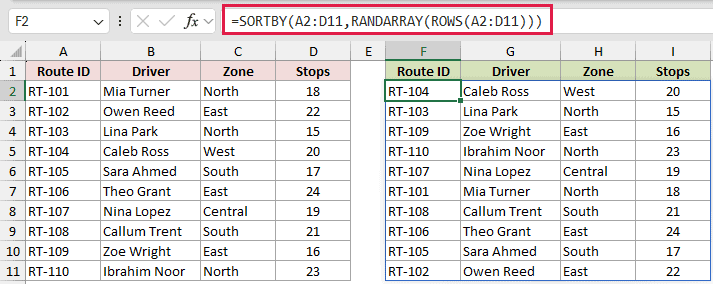
If you want to shuffle a list in Excel into a random order, you will notice there is no single “shuffle” button anywhere on the ribbon. That is because Excel …
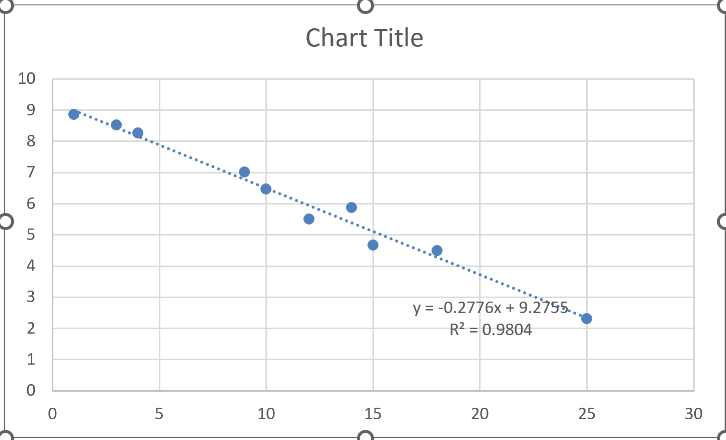
If you have two columns of numbers and you want to know how strongly one relates to the other, linear regression is the tool for the job. It fits a …
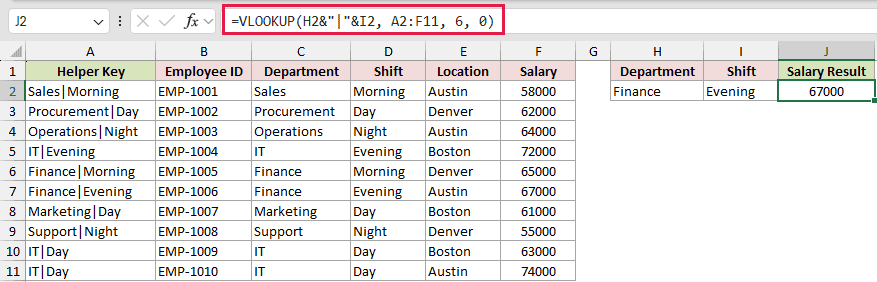
If you’ve ever tried to look up a value that depends on more than one condition, you’ve hit VLOOKUP’s biggest limitation. It only matches one lookup value against one column. …
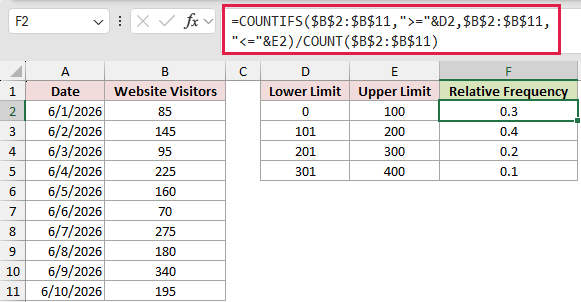
If you want to know what share of your data falls into each group, relative frequency is the number you’re after. It turns raw counts into proportions, so a busy …